

Google Earth
Google Earth is the most mature interface for viewing historic (“best”) satellite imagery, but there are a few other sources to consider.
Check out my detailed page on how to use Google Earth for route planning.
ESRI Worldview
In Alaska, when Google Earth’s resolution is poor, ESRI Worldview is often better. You can view ESRI Worldview as a layer several ways:
- Bing’s aerial imagery service
- Direct from ESRI, with timestamps
- GaiaGPS.com with the Premium subscription


Arctic DEM

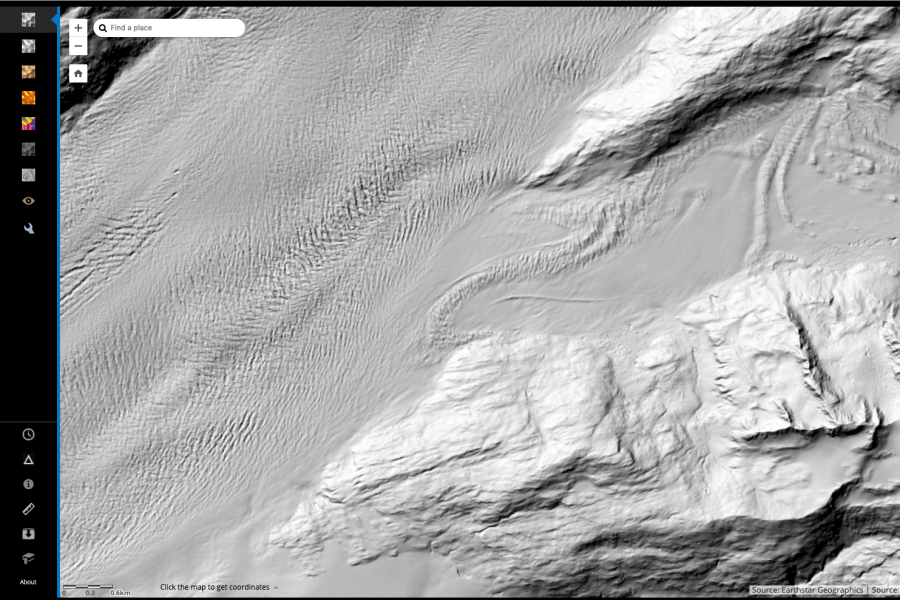
ESRI also serves 2-m resolution ArcticDEM (Digital Elevation Model) imagery from the ongoing effort to remap the arctic (Polar Geospatial Center). There is no easy way to get this imagery to Google Earth or other mapping platform, but the resolution is mind-blowing and useful for things like evaluating crevasse hazards.
The site is often bogged down, which prevents me from using it frequently. It is getting better.
Advanced access can follow this advice from Sal Candela, Ohio State University:
- Download the shape file with all of the strip/mosaic data (http://pgc.umn.edu/system/files/ArcticDEM_Tile_Index_Rel3.zip http://pgc.umn.edu/system/files/ArcticDEM_Strip_Index_1.zip ).
- Use Arc or Qgis (free) to find the filenames that fall under the area you are interested in.
- Use either FTP (ftp://ftp.data.pgc.umn.edu/elev/dem/setsm/ArcticDEM/ ) or web access (http://data.pgc.umn.edu/elev/dem/setsm/ArcticDEM/) to grab the files directly (without using the ESRI interface).